🚀 Welcome to the Omni DAW Documentation
Omni DAW is a modern digital audio workstation (DAW) combining the advantages of non-linear real-time clip launching with precise timeline arrangement, advanced music theory support, generative artificial intelligence, and an ultra-secure plugin hosting environment.
✨ Key Features of Omni DAW
- Two Main Workflows:
- Session View – real-time launching of clips and scenes, one-click Live Looper recording directly into session slots with latency compensation and zero-drift song position locking, step sequencing (with loops up to 256 steps in the Step Sequencer, up to 64 steps in the Drum Machine, and an 8-channel Euclidean Pro sequencer).
- Arrangement View – a classic timeline for arranging full tracks, bouncing signals (Bounce to Audio), freezing tracks (Freeze Track), and parameter automation.
- Advanced Piano Roll: A full MIDI editor with 4 editing tools (Select, Pencil, Eraser, Scissors), 10 expression lanes per-note, musical scale highlighting, keyboard folding modes (Scale Fold), and note auditioning.
- Suite of 16 Built-in Audio Effects: Dedicated DSP processors, including a 16-band Parametric EQ (zero-latency or linear-phase), multi-model Character Filter, Compressor, Noise Gate, Delay, Reverb, Convolution Reverb, Granular Clouds, Chorus, Phaser, Saturator, Multiband Dynamics, Modal Resonator, Transient Shaper, and Brickwall Limiter.
- 15-Modulator System: Modulation generators including LFO, Lorenz chaos attractor, granular generator, Markov, orbital physics, Tidal Drift, cellular automata, Chladni Field, Marbles, and Sidechain.
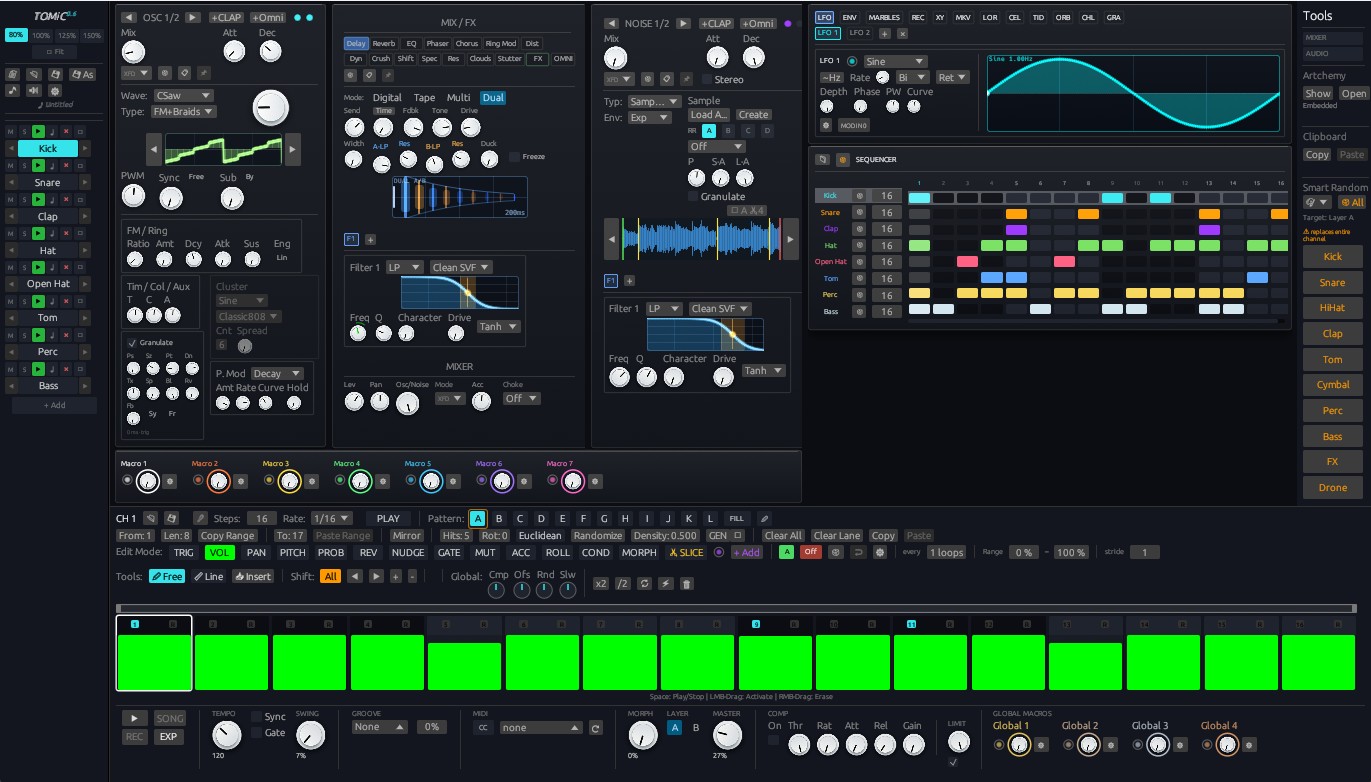
- Synthesis and Sampling: 13 built-in instruments (flagship hybrid Omni Synth uniting bass and polyphony with 18 filter models and Smart Random, the Alchemy spectral reactor (elements as spectra that react with each other, a Beads-style grain cloud), Iris — an image-to-sound synth, TOMiC drum machine, Piano concert model, expanded Physical Modeling Suite with new Plucked and Harp engines) and Sampler and ScratchDeck with automatic sample slicing (Slice-to-MIDI).
- Secure Plugin Hosting for VST3 / CLAP / LV2 / VST2: Two operating modes — high-performance In-Process with Circuit-Breaker and fully isolated Out-of-Process Sandbox IPC.
- AI Generators & ElevenLabs: Generation of Sound FX, TTS vocals, and IRs via ElevenLabs, Smart Random Melody generator (12 archetypes), a progression & harmony studio in the piano roll (240 progressions, an 18-style generator, a chord lane with reharmonisation), LLM AI integration (Claude, GPT, Gemini, DeepSeek, LM Studio, Ollama), and AI Image Generator for Iris.
🧭 How to Use This Manual?
This manual is divided into structured chapters guiding you step by step through all the program's features and windows:
- Top Toolbar (
/docs/toolbar): Transport controls (Play/Stop/Record), BPM tempo, Swing and the Groove panel (kinds of swing), and view switches. - Keyboard Shortcuts (
/docs/keyboard-shortcuts): A comprehensive list of shortcuts, Ableton-style clip mapping, and QWERTY MIDI keyboard playing. - Session View and Sequencers (
/docs/session): Creating loops, launching scenes, Follow Actions, ClipChain/SceneChain, and 4 sequencer modes (Piano Roll, Step Sequencer, Euclidean Pro, Drum Machine). - Piano Roll and Music Theory (
/docs/piano-roll): MIDI editing, 4 tools, Chop divisions, 10 expression lanes per-note, Scale Fold, and chord theory. - AI Generators & ElevenLabs (
/docs/ai-generation): Creating Sound FX and vocals in ElevenLabs, Smart Melody, Smart Progression, and artificial intelligence in composing. - Arrangement View (
/docs/arrangement): Working on the timeline, bouncing clips (Bounce to Audio), freezing tracks (Freeze Track), 5 fade curve types, 5 warp modes, and automation. - Mixer and Routing (
/docs/mixer): Channel strips, Send/Return routing, Master bus, and routing to external hardware MIDI synthesizers. - Built-in Audio Effects (
/docs/effects): A guide to the 16 DSP processors and their parameters. - Modulator System (
/docs/modulators): 15 modulation generators with drag-and-drop routing to any parameter. - Built-in Synthesizers (
/docs/alchemical-synth): Alchemy Synth, Omni Synth, Iris (image-to-sound), TOMiC, Piano, and Physical Modeling Suite. - Sampler and ScratchDeck (
/docs/scratch): Sampling, virtual vinyl deck, Slice-to-MIDI loop slicing, and transient detection. - Plugin Hosting (
/docs/plugins): In-Process mode with Circuit-Breaker and Sandbox IPC for VST3 / CLAP / LV2 / VST2. - OmniScript (
/docs/omniscript): Writing simple musical scripts. - Tutorials (
/docs/tutorials): Practical step-by-step guides from an empty project to a finished mix.